TikTok-style captions with ffmpeg: white bold text, black outline
Burn big white captions with a black outline into vertical video using ffmpeg drawtext. Tested commands for single cards, timed cards and two-line text.
You can make TikTok captions in CapCut in two minutes, and for a single video that’s what I’d do. But once you’re making ten variations of the same ad, or you want every video to look exactly the same, dragging text boxes around gets old. ffmpeg’s drawtext filter does it from one command you can reuse forever.
Every command below was run on a real clip (a 5 second character swap of the kit’s fictional character Seo-yeon) with ffmpeg 7.1. The frames in this post are straight out of those commands.
What do you need before you start?
Two things: an ffmpeg build with drawtext, and a font file.
Check for drawtext first. It needs ffmpeg to be built with libfreetype, and some minimal builds skip it:
ffmpeg -hide_banner -filters | grep drawtextIf that prints a line with drawtext, you’re set. If it prints nothing, install a fuller build (most Linux package managers and the common Windows builds include it).
For the font, the TikTok look is a heavy, condensed or rounded sans. Anton and Poppins Black both work, and both are free under the SIL Open Font License, so you can use them in commercial videos. Grab them from the Google Fonts repo:
curl -L -o Anton-Regular.ttf https://github.com/google/fonts/raw/main/ofl/anton/Anton-Regular.ttf
curl -L -o Poppins-Black.ttf https://github.com/google/fonts/raw/main/ofl/poppins/Poppins-Black.ttf
Anton is narrower, so you fit more words per line. Poppins Black is rounder and friendlier. I lean Anton for hooks and Poppins for anything longer.
What’s the simplest caption command?
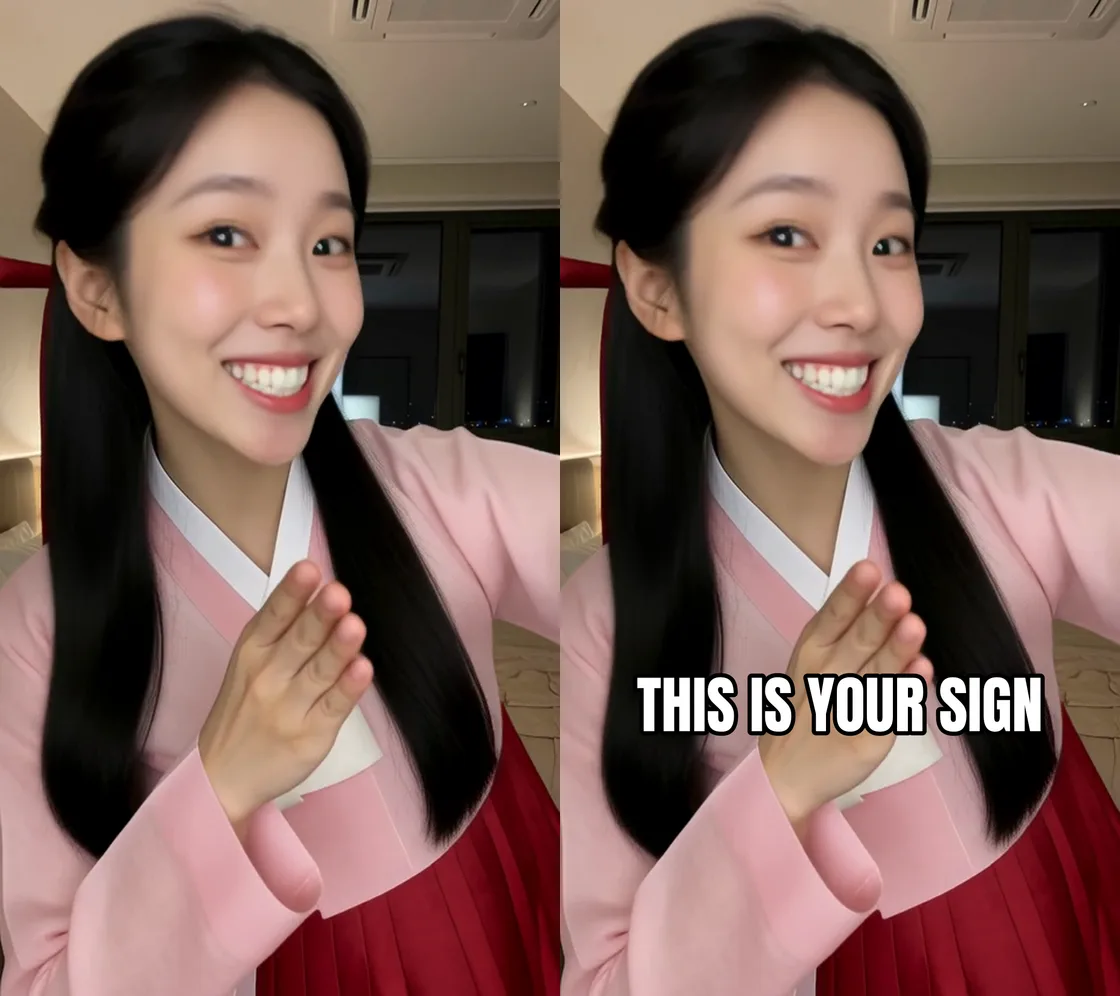
Here’s the exact command that made the “after” frame above. It scales the frame to 1080 x 1920 and puts one caption in the lower middle:
ffmpeg -i frame.png -vf "scale=1080:1920:flags=lanczos,drawtext=fontfile=Anton-Regular.ttf:text='THIS IS YOUR SIGN':fontsize=120:fontcolor=white:borderw=8:bordercolor=black:x=(w-tw)/2:y=h*0.68" after.pngWhat each part does:
scale=1080:1920:flags=lanczosbrings the clip to TikTok’s vertical size first, so your font size means the same thing on every video.fontfilepoints at the .ttf. Use the full path if it’s not in the current folder.fontsize=120is big. That’s intentional. On a phone, 3 or 4 words at this size read in under a second.borderw=8:bordercolor=blackis the outline. Between 6 and 8 looks right at 1080 wide. Below 4 it disappears on bright backgrounds.x=(w-tw)/2centres the text horizontally.twis the text width.y=h*0.68puts the top of the text about two thirds of the way down. That’s around 1300 px on a 1920 tall frame.
The same filter works on a video. Swap frame.png for your clip and add -c:a copy to keep the audio as it is.
How do you show a new caption card every second or two?
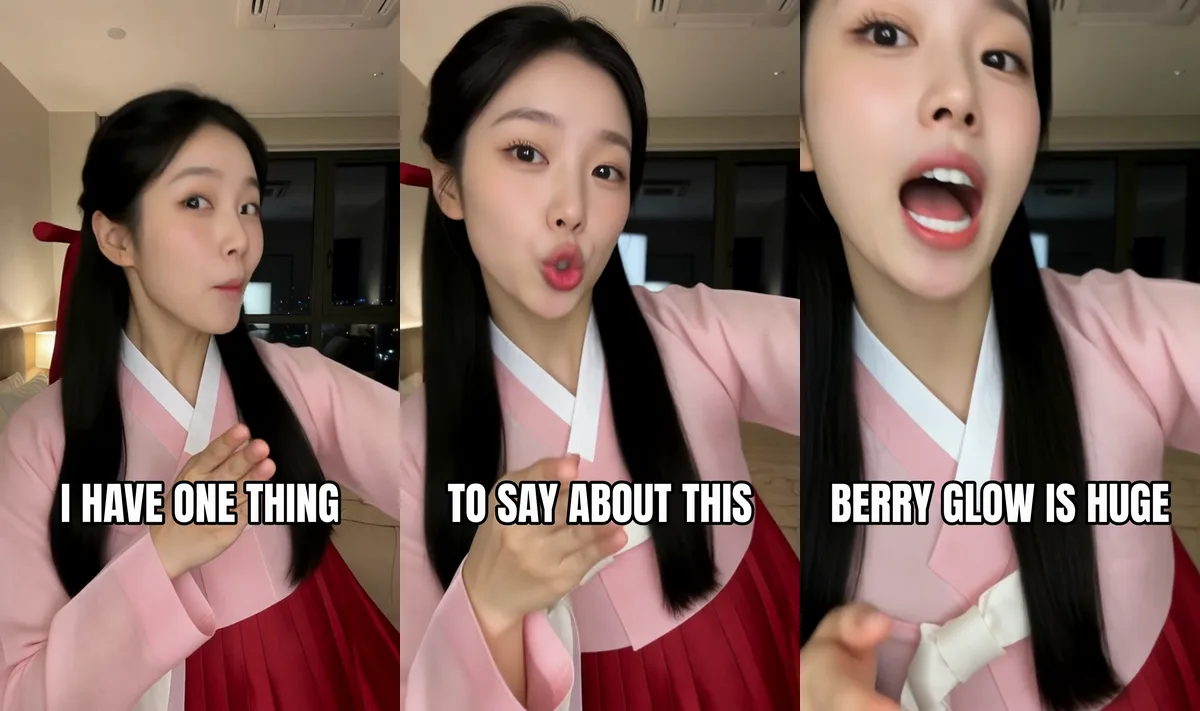
Chain several drawtext filters and give each one an enable window. This is the command I ran on the 5 second swap:
ffmpeg -i swap.mp4 -vf "scale=1080:1920:flags=lanczos,\
drawtext=fontfile=Anton-Regular.ttf:text='I HAVE ONE THING':fontsize=120:fontcolor=white:borderw=8:bordercolor=black:x=(w-tw)/2:y=h*0.68:enable='between(t,0,1.6)',\
drawtext=fontfile=Anton-Regular.ttf:text='TO SAY ABOUT THIS':fontsize=120:fontcolor=white:borderw=8:bordercolor=black:x=(w-tw)/2:y=h*0.68:enable='between(t,1.6,3.2)',\
drawtext=fontfile=Anton-Regular.ttf:text='BERRY GLOW IS HUGE':fontsize=120:fontcolor=white:borderw=8:bordercolor=black:x=(w-tw)/2:y=h*0.68:enable='between(t,3.2,5.1)'" \
-c:v libx264 -crf 18 -pix_fmt yuv420p -an captioned.mp4
The backslashes just split it over lines for readability. On Windows, put it on one line.
A few notes from running it:
between(t,a,b)includes both ends, so two cards could overlap for a frame if one lands exactly on the boundary. At 16 fps that didn’t happen here, but if you want to be strict, useenable='gte(t,1.6)*lt(t,3.2)'instead.-pix_fmt yuv420pkeeps the file playable on phones. Without it, some encodes come out in a format that phone players reject.- I used
-anbecause this clip has no audio. If yours does, use-c:a copy. - BERRY GLOW is a made-up brand. Use a real product only if it’s yours or a client’s and they’ve approved the ad.
How do you handle apostrophes and two-line captions?
This is where drawtext gets annoying. Apostrophes break the quoting, and colons need escaping because drawtext uses them to separate options. The easy way out is textfile: put the caption in a plain text file and point the filter at it.
printf "WAIT FOR IT...\nIT'S HUGE" > card.txt

ffmpeg -i frame.png -vf "scale=1080:1920:flags=lanczos,drawtext=fontfile=Poppins-Black.ttf:textfile=card.txt:fontsize=92:fontcolor=white:borderw=7:bordercolor=black:line_spacing=12:x=(w-tw)/2:y=h*0.66:text_align=C" twolines.png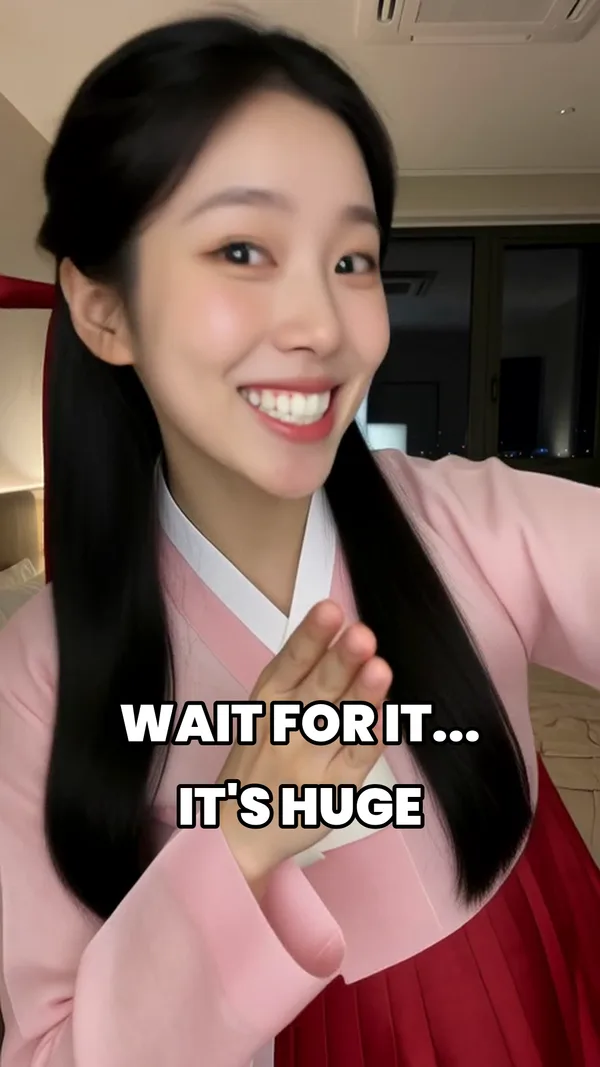
The newline in the file becomes a line break. text_align=C centres each line against the other, which is what you want for stacked captions. It’s an option in newer ffmpeg releases (it worked in 7.1). On an old build you’ll get an error saying the option isn’t found, and the fix is to update.
Where should captions sit so the app doesn’t cover them?
TikTok puts the like, comment and share buttons down the right edge, and the username and description along the bottom. So:
- Keep captions in the lower middle, roughly 60 to 72 percent of the way down.
y=h*0.66toy=h*0.70works. - Keep text narrower than about 85 percent of the frame. If a line runs wide, drop the font size or split it.
- Don’t go near the very bottom, even if it looks cleaner in your editor.
Then actually check it. Upload as a draft or a private post and look on a phone. Your monitor lies about how big things feel.
What makes captions read well?
The rules from the kit’s ad recipe hold up:
- 3 to 6 words per card
- A new card about every second
- Big white bold text, black outline, nothing fancy
Hooks like “I have one thing to say…” or “POV: you finally found it” earn the first second. After that, each card should push the viewer to the next one, not repeat what they can already see. The full ad flow is in making AI UGC product ads with a fictional character.
Why does my caption look wrong?
- “No such filter: ‘drawtext’”. Your build has no libfreetype. Install a fuller ffmpeg.
- “Cannot find a valid font”. The path is wrong. On Windows, escape the drive colon:
fontfile='C\:/Windows/Fonts/arialbd.ttf'. - Text runs off the edge. Lower
fontsizeor split the line.fix_bounds=1keeps text inside the frame, but it can push it off centre. - Outline looks thin or jagged. Scale to 1080 x 1920 before drawtext, not after. Drawing on a 480p clip and then upscaling blurs the edges.
- Everything after the apostrophe vanished. Use
textfile.
The full list of options lives in the official ffmpeg drawtext documentation. It’s dense, but box, shadowx and alpha are worth a look once the basics work.
Anything else before you post?
Turn on the AI label if any part of the video is AI-generated, and use footage you own or generated yourself as the base. The swap in this post came from a fictional character and a generated driving clip, using the steps in the Wan Animate 2 swap guide.
If you want the clip to caption in the first place, the AI Character Kit includes the four ComfyUI workflows behind it, plus the ad recipe and hook lines in the guide.